

Audio/Video KVM Switches and Extenders - ATEN KVM Switches
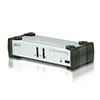
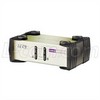
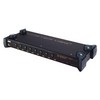
L-com ATEN KVM switches deliver multi-computer control for financial systems, data centers, security monitoring, and small business installations. Featuring 4-port integrated cable KVM switch design, ATEN switches enable control of up to four computers with single monitor, USB keyboard, and USB mouse. Multiplatform support with hotkey computer selection, built-in 3.5mm audio ports for speaker/headphone sharing, auto-scan monitoring, and Video DynaSync™ technology optimize display resolution to 2048 x 1536. Desktop 2-port and 4-port PS/2-USB options available.
For complete KVM switching and extension solutions beyond ATEN KVM switches, explore our KVM Switches and Extenders category, featuring KVM control solutions designed for multi-computer management and remote system access applications.
Related Categories:
FAQs
What are ATEN KVM switches designed for?
ATEN KVM switches are ideal for financial systems management, small businesses, home offices, air traffic control, data center management, and security monitoring. These ATEN KVM switches enable multi-computer control from a single keyboard, mouse, and monitor, simplifying system management across multiple connected computers.
What port configurations are available for ATEN KVM switches?
ATEN KVM switches are available in 2-port and 4-port configurations. The 4-port integrated cable ATEN KVM switch allows control of up to four computers from a single console, while desktop 2-port PS/2-USB ATEN KVM switches provide access to two computers for smaller installations.
What keyboard and mouse support do ATEN KVM switches provide?
ATEN KVM switches support USB keyboard and USB mouse connectivity on integrated cable models, with PS/2-USB options available on desktop models. This multiplatform support enables flexible console configuration across diverse computer systems in financial, data center, and security monitoring applications.
What audio capabilities do ATEN KVM switches include?
ATEN KVM switches feature built-in 3.5mm audio ports allowing you to route and share a single set of speakers or headphones across all connected computers. This integrated audio functionality simplifies console setup for financial systems, data centers, and security monitoring installations.
What is Video DynaSync™ technology in ATEN KVM switches?
Video DynaSync™ technology in ATEN KVM switches stores the console monitor's EDID (Extended Display Identification Data) to optimize display resolution and eliminate boot-up display problems. This enhanced technology supports video quality up to 2048 x 1536 for clear display output across financial, air traffic control, and security monitoring applications.
What features enhance ATEN KVM switch convenience and operation?
ATEN KVM switches feature multiplatform support with hotkey computer selection for quick switching between connected computers. Combined with auto-scan monitoring to observe all connected computer operation, ATEN KVM switches provide the ultimate in desktop convenience for financial systems and small business environments.
How does setup of ATEN KVM switches simplify installation?
ATEN KVM switches require no software configuration, installation procedures, or compatibility issues—simply plug cables into appropriate ports. This fast and easy setup enables rapid deployment in small business, home office, data center management, and security monitoring applications without technical expertise.
What makes ATEN KVM switches suitable for data center and security applications?
ATEN KVM switches combine multi-computer control capability with Video DynaSync™ technology, auto-scan monitoring, and audio port integration for comprehensive system management. These features make ATEN KVM switches particularly well-suited for data center management and security monitoring environments requiring centralized control of multiple systems.
Need assistance selecting the right ATEN KVM switch configuration for your data center, financial system, or security monitoring installation? Our professional technical support team provides expert guidance on port configurations, keyboard/mouse options, Video DynaSync capabilities, and application-specific recommendations for your multi-computer control needs.
Contact Sales:Sales@L-com.com
Product Technical Support:techsupportrf@infiniteelectronics.com
L-com has one of the largest in-stock selections of audio/video KVM switches for international and domestic orders.